

MAAC CareerX Program MAAC CreatorX AI Program

Compositing & Editing PlusVideo Editing & Motion Graphics Courses in Bangalore

Master Premiere Pro, After Effects, DaVinci Resolve Color Grading, Broadcast Motion Graphics, and Compositing with 100% Placement Assistance at MAAC HSR Layout.

Duration 11 Months (240 Hours / 120 Sessions)
Next Batch November 2nd 2026
Placement 100% Support

Book Free Demo & Course Guide

Instant syllabus & curriculum details delivered directly to your WhatsApp

Easy Zero-Cost EMI Available
Program Track Compositing & Editing Plus (Video Editing & Motion Graphics)
Duration & Mode 11 Months (240 Hours / 120 Sessions) (Classroom & Studio Labs)
Eligibility 10+2 / Graduates / Career Switchers
Placement Support 100% Dedicated Studio Placement Cell
Compositing & Editing Plus (Video Editing & Motion Graphics) - MAAC HSR Layout
Course Overview & Key Facts MAAC HSR Layout Official Curriculum • Center Code 1003082

Compositing & Editing Plus (Video Editing & Motion Graphics) at MAAC HSR Layout is an intensive 11 Months (240 Hours / 120 Sessions) studio-grade curriculum for Beginner to Professional learners. Students master industry-standard software including Adobe Photoshop, Adobe After Effects, Adobe Premiere, Adobe Audition, qualifying graduates for high-demand studio designations such as Video Editor, Motion Graphics Designer, Colorist with 100% dedicated placement support.

Eligibility 10+2 / Any Graduate / Creative Enthusiast
Training Mode Classroom Studio Labs (HSR Sector 1)
Hardware Check Test Laptop Specs →
Merit Scholarship Check on WhatsApp →

Campus Location & Commute Information

MAAC HSR Layout is South Bangalore's premier video editing and compositing academy (Mon-Sat 10 AM - 7 PM), serving HSR Layout, Koramangala, BTM Layout, Bellandur, Silk Board & Hosur. Call or WhatsApp 8884922201 for fee discounts & Easy EMI eligibility.

Course Curriculum & Learning Modules

Comprehensive industry-aligned training designed by MAAC experts to make you studio-ready.

Term 1: Digital Design & Filmmaking Foundations

  • Cinematic Visual Design, Framing & Storytelling Principles
  • Digital Design Essentials, Asset Prep & Image Processing
  • Principles of Filmmaking, Layout & Animatics
  • Generative AI for Visual Ideation, Concept Art & Storyboarding

Term 2: Non-Linear Video Editing & Audio Crafting

  • Cinematic Editing Principles, Timeline Organization & Pacing in Premiere Pro
  • Multicam Editing, Rough Cut to Final Cut & Proxy Workflow
  • Dialogue Polish, Audio Mixing, Foley & Noise Reduction in Audition
  • Export Standards for YouTube 4K, Reels, Shorts & OTT Broadcast

Term 3: Motion Graphics & Broadcast Packaging

  • Keyframe Motion Curves, Kinetic Typography & Lower Thirds in After Effects
  • Broadcast Channel Idents, Promo Packaging & Logo Reveals
  • Green Screen Chroma Keying & Planar Tracking with Mocha Pro
  • Rotoscoping, Paint Cleanup & Live-Action Integration

Term 4: DaVinci Color Grading & Node Compositing

  • Color Wheels, Curves, Waveforms & Scopes in DaVinci Resolve
  • Shot Matching, LUT Creation & Cinematic Skin Tone Correction
  • Node-Based Multi-Pass VFX Compositing in Nuke & Fusion
  • Commercial Video Editing Showreel & 100% Dedicated Placement Support

Industry Software & Production Tools Mastered

Get hands-on training with the exact industry software top studios use.

Adobe Photoshop Adobe Photoshop Adobe After Effects Adobe After Effects Adobe Premiere Adobe Premiere Adobe Audition Adobe Audition Blackmagic Fusion Blackmagic Fusion Mocha Mocha SilhouetteFX SilhouetteFX 3D Equalizer 3D Equalizer Foundry Nuke Foundry Nuke DaVinci Resolve DaVinci Resolve

Free Student Hardware Tool

Can Your Laptop Run This Course Software?

Test your CPU, GPU, and RAM compatibility for Maya, Unreal Engine 5, Blender, Figma, and Premiere Pro in seconds.
Check System Specs →
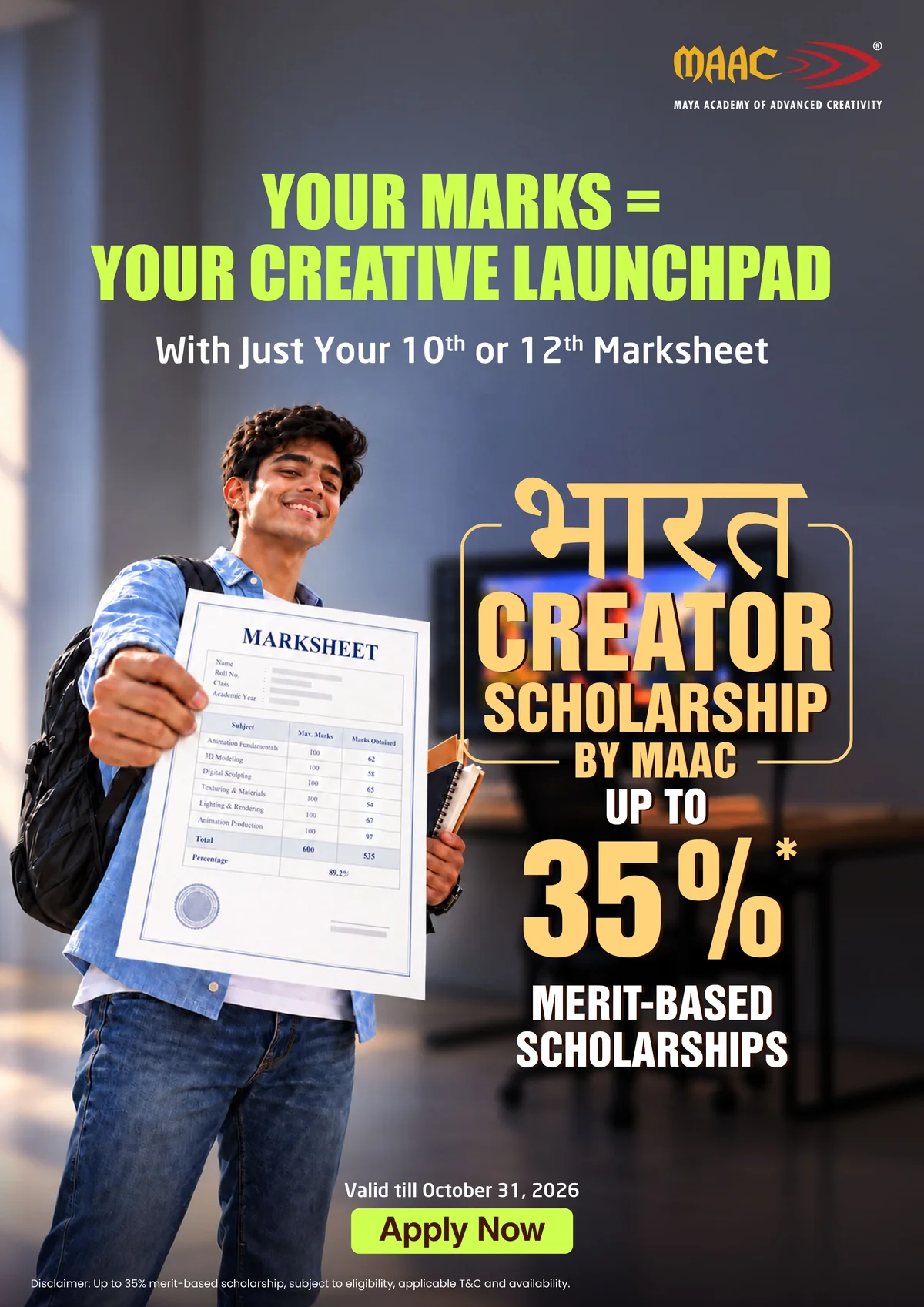
Bharat Creator Scholarship for Compositing & Editing Plus (Video Editing & Motion Graphics) - MAAC HSR Layout
October 2026 Merit Intake

Bharat Creator Scholarship
Up to 35% Scholarship on Marks Card!

Applying for Compositing & Editing Plus (Video Editing & Motion Graphics) at MAAC HSR Layout? Your academic dedication qualifies you for direct tuition fee waiver under the official Bharat Creator Scholarship Scheme. Turn your 10th or 12th marksheet into creative career funding.

Up to 35% Merit Scholarship
10th or 12th Marksheet
Limited Seats per Batch Quota
Offer Valid till October 31, 2026
*Terms & Conditions apply. Applicable on eligible career programs. Marksheet verification required. Excludes B.Voc degree and hardware schemes. Valid till October 31, 2026.
MAAC x ASUS Career Laptop Advantage Program (CLAP) Official Banner
CAREER LAPTOP ADVANTAGE PROGRAM (CLAP)

MAAC x ASUS Student Laptop Scheme

Get a ₹74,500 Laptop Support Voucher on enrolling in flagship 12+ month Career & CareerX programs. Equipped with high-performance ASUS Creator & Gaming Laptops built for 3D Animation, Unreal Engine 5 & Generative AI workflows.

Key Scheme Highlights:
  • Voucher Value: ₹74,500 Support Voucher applied to curated ASUS models.
  • 180-Day Timeline: Full course fee cleared within 180 days of registration.
  • Zero Cash Substitution: Non-transferable benefit with zero cash equivalent.
  • ASUS Warranty: Official 1-Year Brand Warranty & LADP protection included.
MAAC NEXT-GEN LEARNING ADVANTAGE

Specialisations

Empowering students with industry studio mentorship, 100% placement assistance, and Generative AI workflows.

MAAC CareerX Program STUDIO JOB TRACK

CareerX Studio Pathway

MAAC's studio-professional track engineered for students targeting full-time jobs at animation studios, VFX houses, gaming companies, and OTT production pipelines.

  • Full-Time Studio Placements at DNEG, ILM, Red Chillies & Rockstar
  • Studio-Simulated Production Pipelines & Showreel Mentorship
  • 100% Dedicated Placement Cell & Studio Interview Assistance
  • National 24FPS Film Festival & 100 Hours Industry Awards
MAAC CreatorX AI Program CREATOR TRACK

CreatorX Freelance & AI Pathway

MAAC's independent creator track designed for YouTubers, video editors, freelancers, Instagram reel creators, and digital AI creative startups.

  • Generative AI Workflows (Midjourney, Runway ML, Leonardo & ElevenLabs)
  • YouTube Content Creation, Shorts, Reels & Video Editing Mastery
  • Freelance Client Acquisition & Channel Monetization Strategies

Career Roles & Job Opportunities

100% Placement assistance with top animation, gaming, and digital agencies.

Video Editor Motion Graphics Designer Colorist Broadcast Packaging Artist Post-Production Specialist AI Video Creator
OUTSTATION STUDENTS WELCOME

Relocating to Bangalore for Creative Studies?

Explore verified student PGs, living costs, food options, and metro connectivity in HSR Layout 1st Sector.

Read HSR PG & Living Guide →

Frequently Asked Questions

Got questions about admissions, Easy EMI, or batch timings? Here are answers.

Which is the best institute for video editing courses in Bangalore?

MAAC HSR Layout is widely recognized as Bangalore's top video editing institute, offering studio-grade editing suites, dual-track CareerX & CreatorX curriculum, 1-on-1 industry mentorship, and 100% Placement Assistance with top OTT and media production houses. WhatsApp 8884922201 to book a free demo session.

What software is covered in the video editing course at MAAC HSR?

Students master industry-standard software including Premiere Pro, After Effects, DaVinci Resolve Studio (Color Grading), Audition, Nuke, Photoshop, Mocha Pro, Silhouette FX, and Generative AI video tools.

What are the fees for the video editing course at MAAC HSR Layout?

Course fees at MAAC HSR Layout vary depending on the chosen track (Compositing & Editing Plus vs short-term skill programs). Flexible 0% interest Easy EMI options are available. Contact 8884922201 for the latest 2026 fee structure and scholarship discounts.

What is the average salary after completing a video editing course in Bangalore?

Fresh video editors in Bangalore earn between \u20b93.5 LPA to \u20b96.5 LPA, while senior motion editors and colorists command \u20b910 LPA to \u20b920+ LPA across digital agencies, OTT streaming platforms, and media production houses.

Can beginners learn video editing without prior experience?

Yes! The course begins from timeline fundamentals and non-linear editing basics, gradually progressing to advanced DaVinci color grading, After Effects motion graphics, and professional studio workflows.

35% Bharat Creator Scholarship
Chat Get 35% off Call
35% Scholarship & Syllabus
35% Bharat Creator Relief
Compositing & Editing Plus (Video Editing & Motion Graphics)
Get Syllabus & Course Guide on WhatsApp:
Call
Zero Spam • Instant WhatsApp Info • 4.8 ★
35% Bharat Creator Scholarship

Get Syllabus & Curriculum Guide

Official brochure, semester curriculum breakdown & 0% EMI eligibility.

Program: Compositing & Editing Plus (Video Editing & Motion Graphics)
100% Privacy Protected • Zero Spam • Verified Admissions Office
Instant WhatsApp Delivery

Receive Syllabus & Course Details

Enter your WhatsApp mobile number to get the official curriculum breakdown & 35% scholarship eligibility sent directly to your phone.

Program: Compositing & Editing Plus (Video Editing & Motion Graphics)
Zero Spam • Instant WhatsApp Delivery • Verified Admissions Office
Already logged into WhatsApp Web on this PC? Open directly →
● Next Batch Starts : November 2nd 2026
Ask AI